Salesforce admins face collaboration challenges in building automations

Salesforce admins face collaboration challenges in building automations

Salesforce admins face collaboration challenges in building automations

What collaboration challenges?

What collaboration challenges?

What collaboration challenges?

What collaboration challenges?

What collaboration challenges?

What collaboration challenges?

with stakeholders

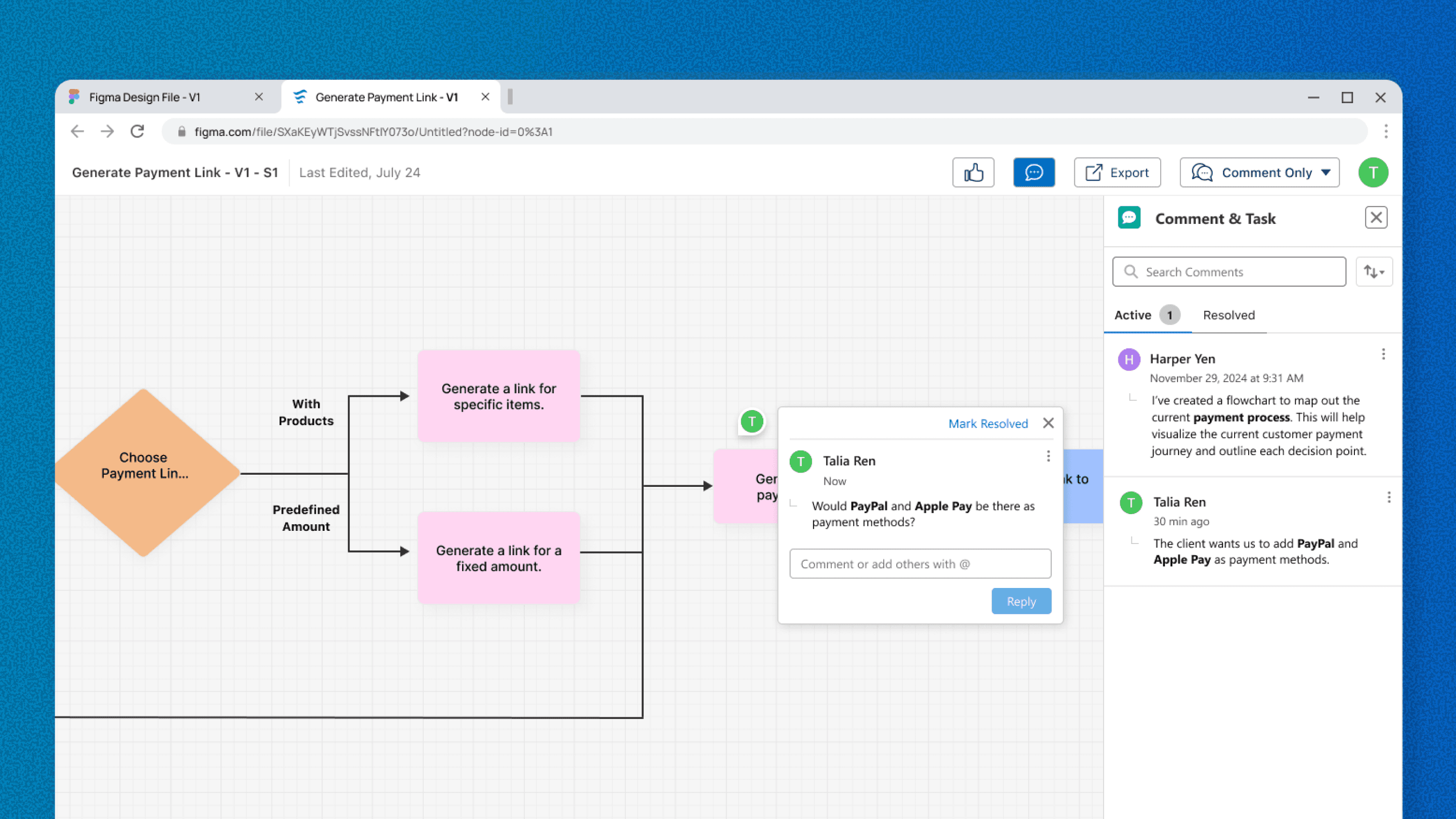
Lack of inbuilt visualization tool to share simplified versions of workflows to explain it to stakeholders
with stakeholders

Better way to document changes as there is no version control

with stakeholders

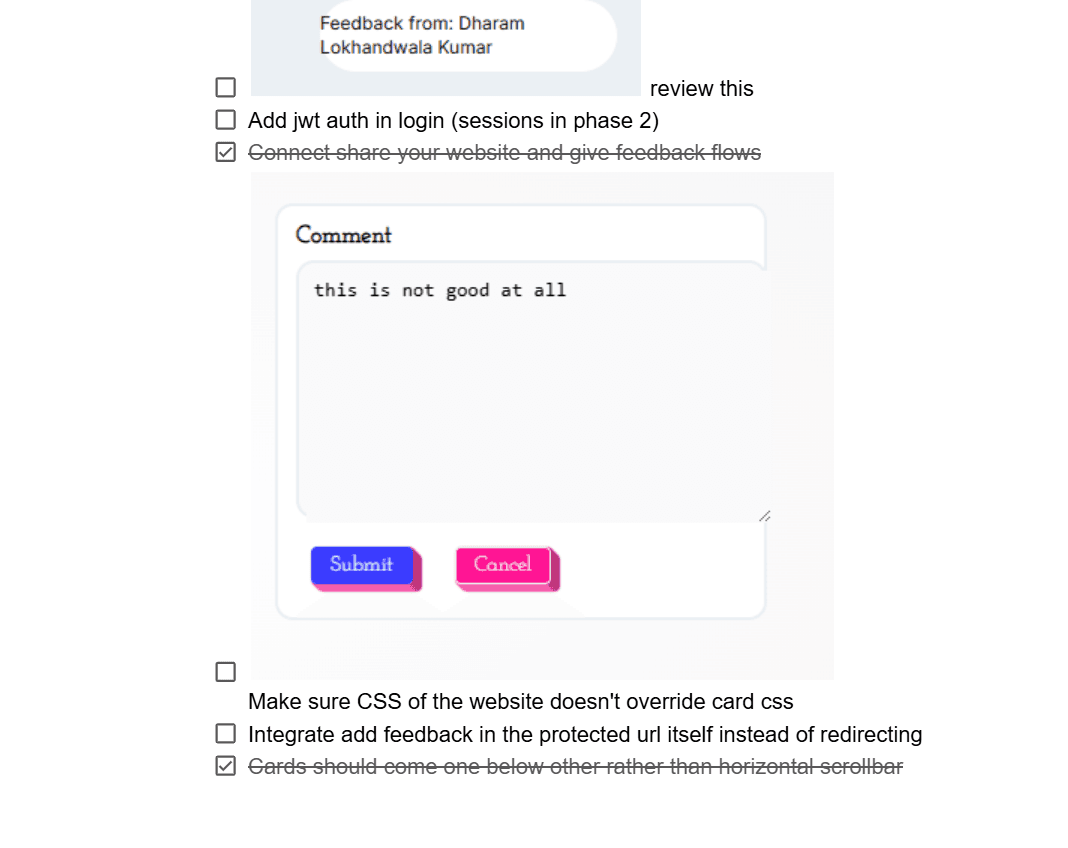
Scattered feedback from stakeholders

with co-admin

Leave notes for co-admins and self about the workflow for future references

Hear it from the Salesforce admins

Hear it from the Salesforce admins

Hear it from the Salesforce admins

Hear it from the Salesforce admins

Hear it from the Salesforce admins

Hear it from the Salesforce admins

Problems discovered through 7 interviews with 4 Salesforce Admins.

"

We replicate FlowBuilder’s visuals (in Lucidchart)…so we can share a visual version with stakeholders

~ Salesforce Admin

"

We also use visualization tools like Miro or Lucidchart to map out the workflows

~ Salesforce Consultant

"

it took another couple hours to build a Lucidchart of the simplified version

~ Salesforce Architect

"

I don’t have the time and energy to change lucid chart every time I change Flow

~ Salesforce Consultant

Out of all of these problems, we niched down

Out of all of these problems, we niched down

Out of all of these problems, we niched down

Out of all of these problems, we niched down

Out of all of these problems, we niched down

Out of all of these problems, we niched down

our focus

Explaining build-status is really tedious as admins have to re-diagram a simplified version of workflow before every meeting. How might we improve that?

Solution

AI generating flowchart inside the tool itself

AI generating flowchart inside the tool itself

AI generating flowchart inside the tool itself

AI generating flowchart inside the tool itself

AI generating flowchart inside the tool itself

AI generating flowchart inside the tool itself

Based on existing workflow, admins can generate a flowchart with just one click, this saves a lot of their time to actually work on other things.

Admins can edit the AI generated flowchart

Admins can edit the AI generated flowchart

Admins can edit the AI generated flowchart

Admins can edit the AI generated flowchart

Admins can edit the AI generated flowchart

Admins can edit the AI generated flowchart

Because AI can't generate the depth/fidelity of the flowcharts required, hence editing is also an option for admins.

Admins can share a browser-friendly link

Admins can share a browser-friendly link

Admins can share a browser-friendly link

Admins can share a browser-friendly link

Admins can share a browser-friendly link

Admins can share a browser-friendly link

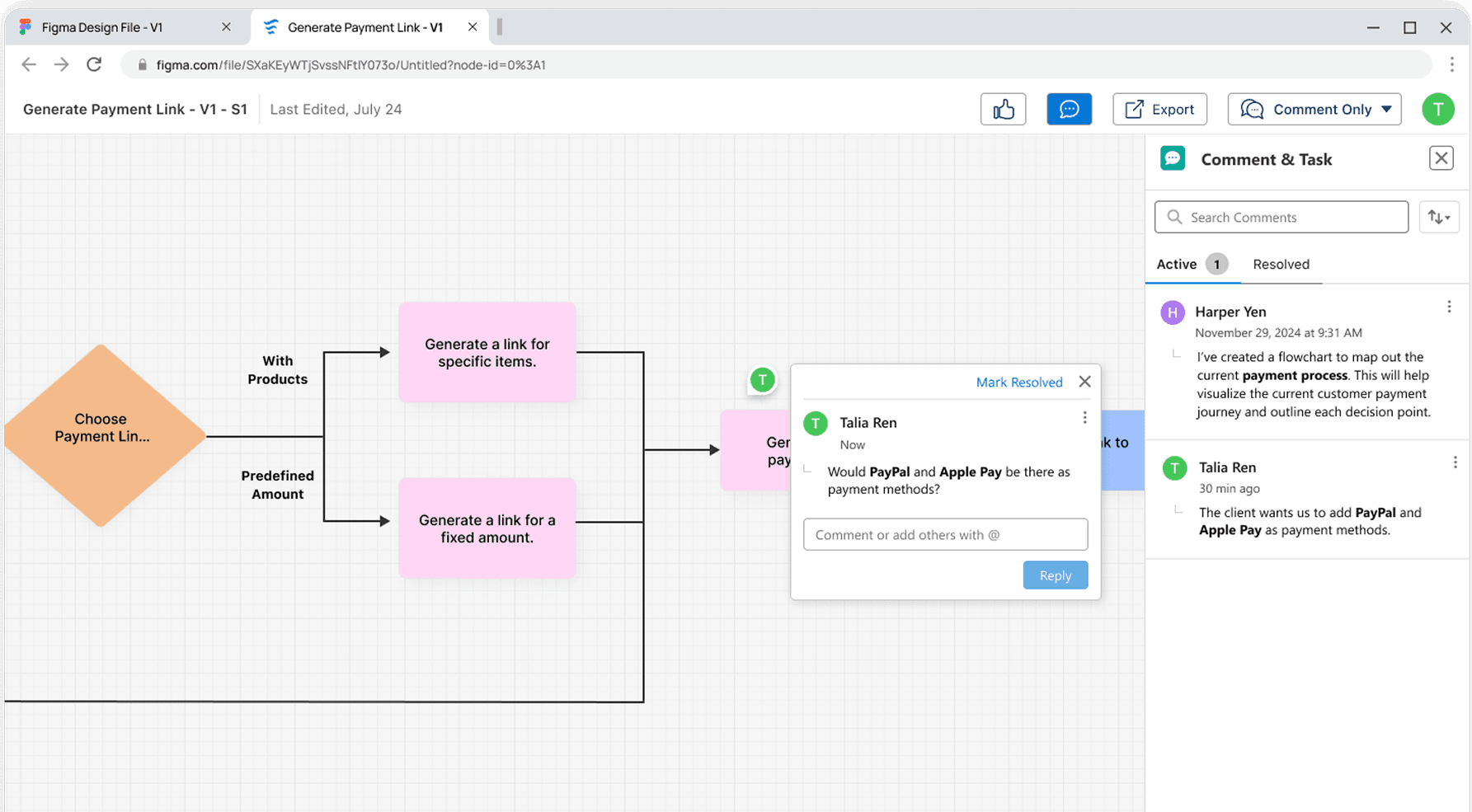
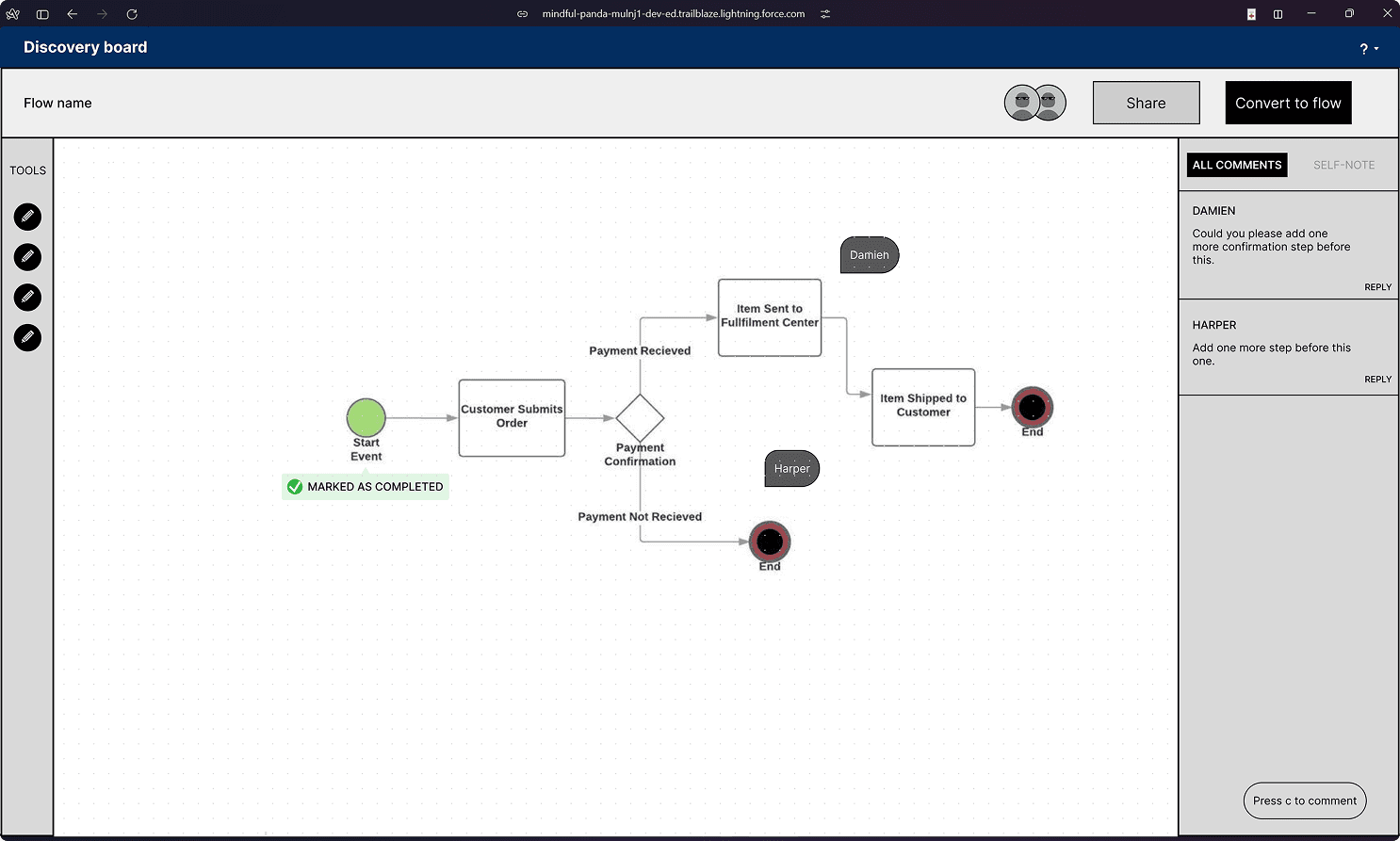
Stakeholders have a huge learning curve when it comes to automation builder, hence, a browser-friendly shareable link for them to give feedback.

Stakeholders can leave comments

This encourages more asynchronous collaboration and less dependency on synchronous meetings
Design's impact on Salesforce admins

Design's impact on Salesforce admins

Design's impact on Salesforce admins

Reduces manual rework of re-diagramming flowcharts

Saves time to create visualization to improve communication

Reduces the external tool dependency (like LucidChart, Miro, etc)

Hear it from happy admins

Hear it from happy admins

Hear it from happy admins

Hear it from happy admins

Hear it from happy admins

Hear it from happy admins

"

The last flow I built on my last project had closer to 300 elements…So being able to just spit out from that, like, give me the simple version of this.

~ Salesforce Admin

"

…and for someone who doesn't know how to read a technical flow. This can feel less intimidating and more accessible.

~ Salesforce Consultant

Other explored & discarded concepts

Other explored & discarded concepts

Other explored & discarded concepts

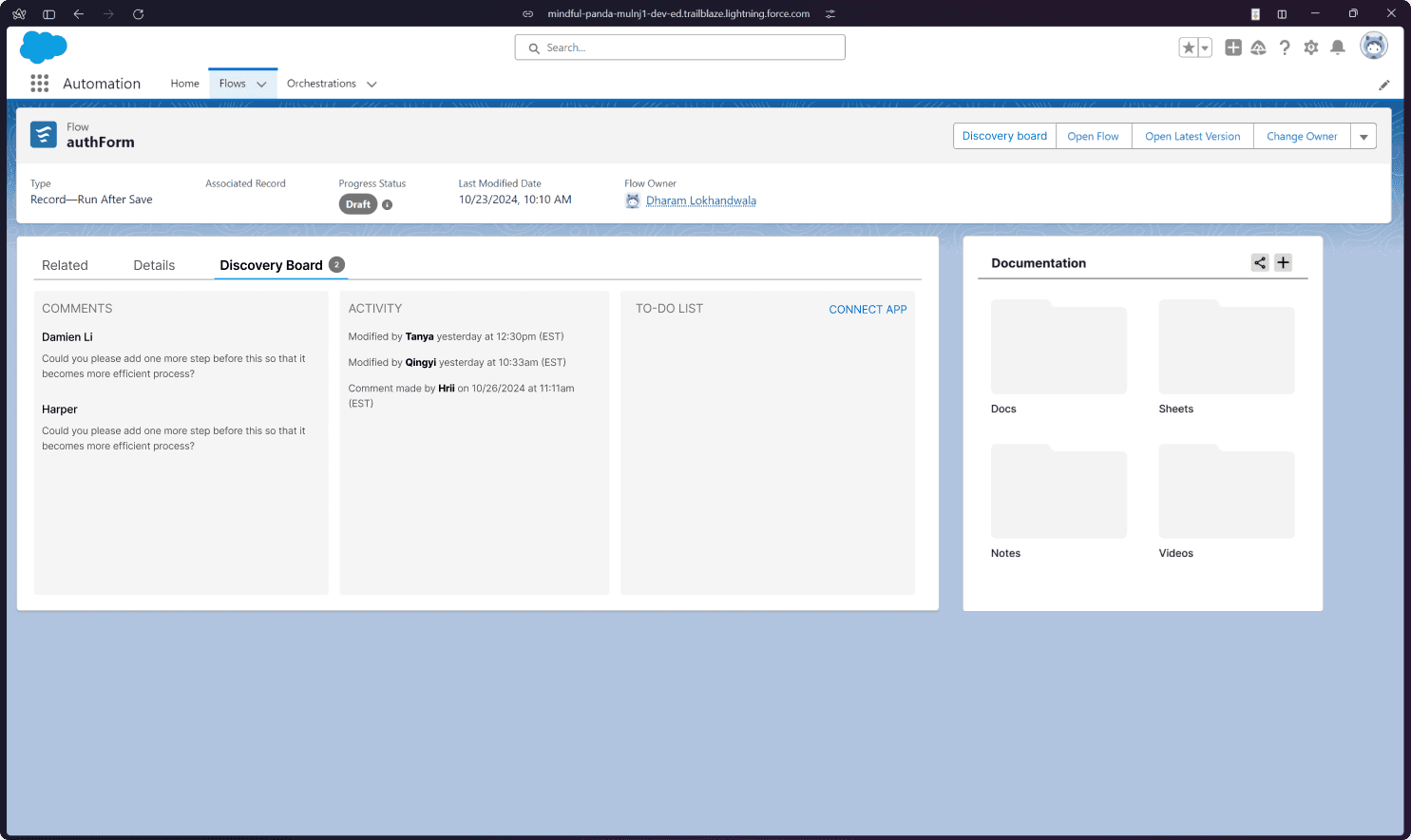
Stakeholder's dashboard that shows all the updated in one

Stakeholder's dashboard that shows all the updated in one

Stakeholder's dashboard that shows all the updated in one

Stakeholder's dashboard that shows all the updated in one

Stakeholder's dashboard that shows all the updated in one

Stakeholder's dashboard that shows all the updated in one

This meant that stakeholders would have to create an account on Salesforce Flow, which they HATE to do because of the learning curve and complexity.
Whiteboard for quick flowchart mockup and getting feedback on it

Whiteboard for quick flowchart mockup and getting feedback on it

Whiteboard for quick flowchart mockup and getting feedback on it

Whiteboard for quick flowchart mockup and getting feedback on it

Whiteboard for quick flowchart mockup and getting feedback on it

Whiteboard for quick flowchart mockup and getting feedback on it

This idea was just integrating a flowchart builder in the Salesforce Flow, this did not provide additional value for the admins as they were already comfortable with other tools they used.
Things that I would improve if I got more time

Things that I would improve if I got more time

Things that I would improve if I got more time

Things that I would improve if I got more time

Things that I would improve if I got more time

Things that I would improve if I got more time

Ability to generate diagrams with varying levels of details/fidelity for admins to customize.

Explore different layouts for simplified diagrams (horizontal, vertical, etc).

The end.

The end.

The end.

Team photo

Team photo

Team photo

Future scope

Future scope

Future scope

Next case study (random)

Next case study (random)

Next case study (random)

or

or

or

Hit me up to talk about this project over a cup of chai!

Hit me up to talk about this project over a cup of chai!

How did I facilitate?

How did I facilitate?

Team dynamics

Team dynamics

How did I make presentation for 2 different audiences?

How did I make presentation for 2 different audiences?

How did I approach healthy team building?

How did I approach healthy team building?

What aspect I need to grow in?

What aspect I need to grow in?

Copyright © 2025 Dharam Lokhandwala. Updated in January 2025.

Copyright © 2025 Dharam Lokhandwala.

Updated in January 2025.